

Building a wheelchair camera mount for your Extreme Motus all-terrain wheelchair takes one small 3D-printed part, a hardware-store bolt, and a few RAM Mount parts. We designed the part ourselves, and the print file is free to download below so you can print your own at home.
We get this question a lot. People take these chairs to places most cameras never see: slot canyons, sand dunes, snowy trails, and the occasional mud pit that seemed like a good idea at the time. Naturally, they want footage.
The catch is that most clamp-style mounts are built for bike handlebars or round wheelchair push handles, not a rugged all-terrain frame. So we built a wheelchair camera mount that fits the chair’s frame directly. Once it’s in, it holds more than cameras. We’ve hung everything from an iPad to a fishing rod holder off it.
How the wheelchair camera mount works
The system has three pieces, and each one does a single job.
- The printed insert. A keyed, circular puck (34 mm across, 19 mm tall) that slides into the open end of the chair’s frame [CONFIRM WHICH TUBE]. It gives you a solid anchor point without drilling or modifying the chair.
- A 1/4-20 Allen head bolt. A 1-inch bolt from any hardware store. It runs through the RAM ball base and into the insert, locking the two together.
- A RAM Mount. The ball-and-socket arm lets you aim the camera at any angle, then swap the camera cradle for a different accessory in seconds.
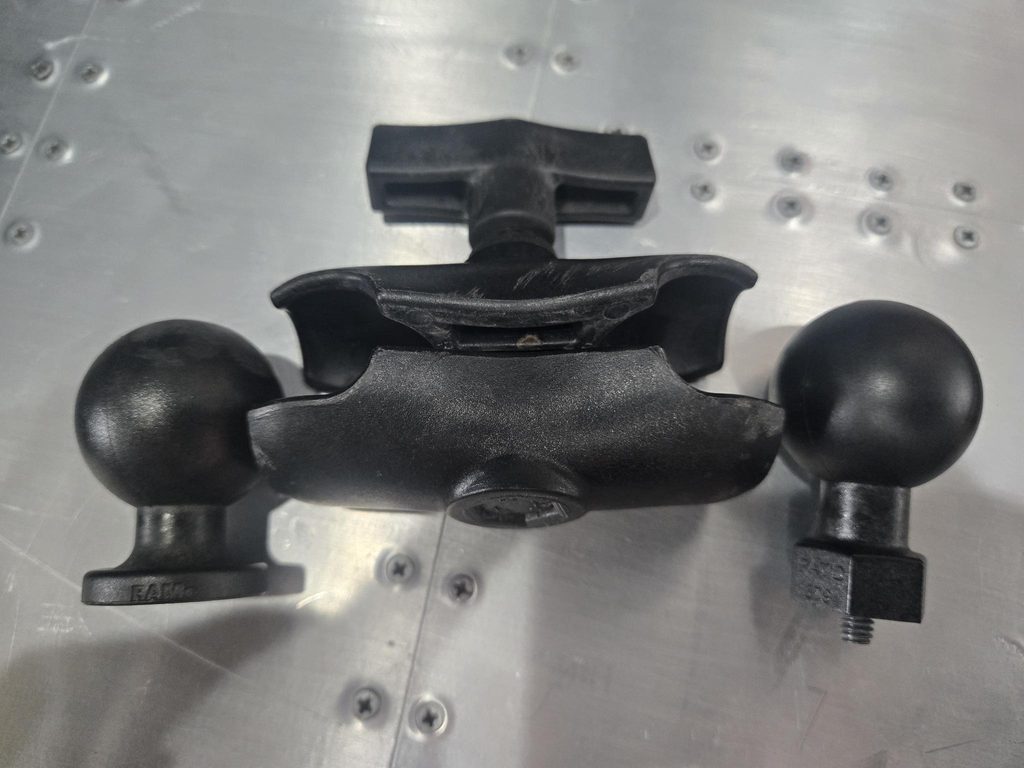
Because the RAM end is modular, your wheelchair camera mount is really a universal accessory port. The camera is just the most popular thing people put on it.
What you need
| Part | What it does |
|---|---|
| Printed insert | Free download on MakerWorld (below). Print one per mount point in ASA. |
| 1/4-20 Allen head bolt, 1 inch long | From any local hardware store. Stainless steel holds up best outdoors. |
| RAM Track Ball Base (C size) — RAP-354U-TRA1 | The ball base that sits on the insert. Toss the T-bolt it ships with; the Allen bolt above replaces it. |
| RAM Double Socket Arm, C Size Short (aluminum) — RAM-201U-B | Our pick for heavier gear. Marine-grade aluminum, 3.56″ long, the shortest RAM arm, so it wobbles the least. |
| RAM Composite Double Socket Arm, C Size Short — RAP-201U-B | Same 3.56″ length in a lighter, less expensive composite. Fine for phones and action cameras. |
| RAM Tough-Ball with 1/4″-20 Stud (C size) — RAP-379U-252025 | Screws straight into the tripod thread on the bottom of most cameras. |
| Other C size cradles | Swap the Tough-Ball for a C size tablet cradle or fishing rod holder. |
| 3D printer | Any common FDM printer that can print ASA. We print ours on a Bambu Lab. |
Download the file and print it
The file lives on MakerWorld, Bambu Lab’s free model library. If you have a Bambu printer, you can send it straight to the printer with our settings already loaded. Everyone else can download it and open it in their own slicer.
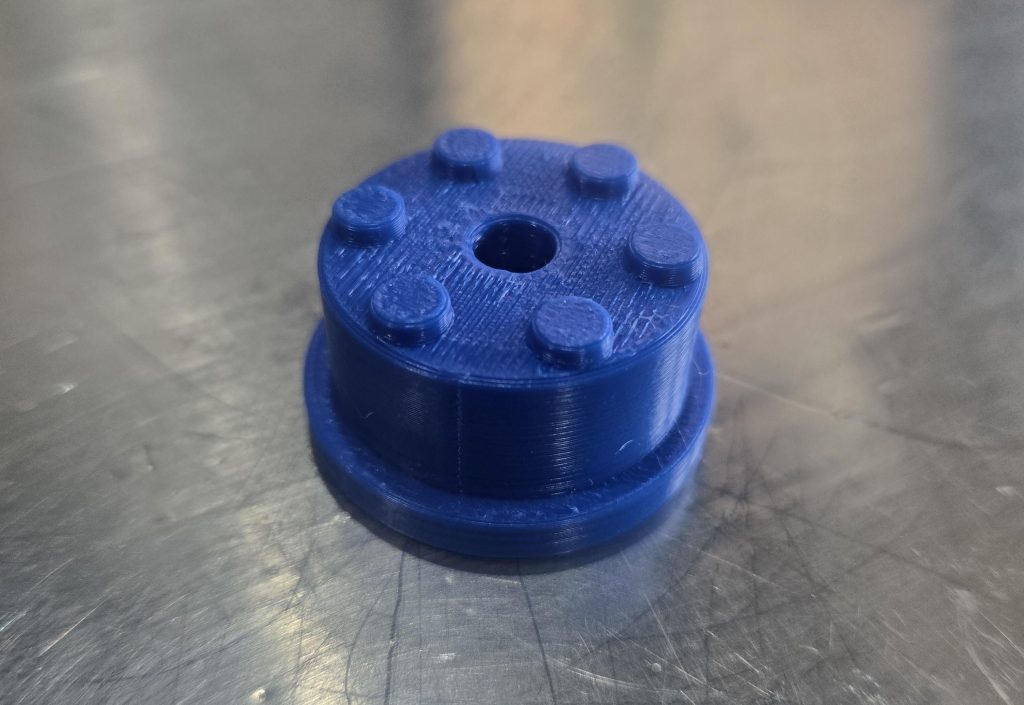
The file is free for personal use. Print as many as you like for your own chair.
These are the exact settings we print with. The part is small, so even at 100% infill it prints quickly.
| Setting | What we use |
|---|---|
| Material | ASA. We print and recommend it because it handles heat and UV, so it won’t soften in a hot car or fade on sunny trails. |
| Infill | 100% |
| Walls | 6 |
| Top / bottom layers | 6 / 7 |
| Layer height | 0.2 mm |
| Supports | None |
If the insert fits too tight, sand it lightly. If it’s loose, scale it up 1–2% and reprint rather than shimming it.
How to install the wheelchair camera mount
Install takes about five minutes. The only tool you need is an Allen key that fits your bolt.
- Pick your spot. Choose the frame opening on the side that matches your dominant hand, so you can reach the camera without twisting.
- Remove the end cap. [DESCRIBE WHAT COVERS THE TUBE OPENING, IF ANYTHING.]
- Seat the insert. Line up the key and push the printed insert into the frame until it sits flush. The key stops it from spinning.
- Swap the bolt. Unscrew the T-bolt from the RAM Track Ball base and set it aside. You won’t need it.
- Bolt the base to the insert. Run the 1-inch 1/4-20 Allen bolt through the Track Ball base and into the insert. Tighten with the Allen key until firm, then stop. Overtightening can crack the printed part.
- Add the arm and accessory. Screw the Tough-Ball into your camera’s tripod thread. Then clamp the double socket arm between the base ball and the Tough-Ball.
- Aim and lock. Point the camera, tighten the arm’s knob, and give it a firm shake. If it moves, tighten a bit more before you hit the trail.
Recheck the bolt after your first couple of rides. Vibration from rough terrain can loosen anything.
What else you can mount
The camera is the headliner, but the RAM side of the wheelchair camera mount takes any cradle in the same ball size.
- Action camera or mirrorless camera. For ride-along footage, trail vlogs, or proving to your friends you really did make it to the top.
- iPad or tablet. Maps, trail guides, or a movie at camp. A tablet cradle also works for video calls.
- Phone. Navigation and quick clips without digging through a bag.
- Fishing rod holder. Park at the shoreline, set the rod, and keep your hands free until something bites.
One insert per side means you can run two accessories at once, like a camera on one side and a rod holder on the other.
Tips for better footage from the chair
We film a lot of our own content from these chairs, so here’s what actually helps.
- Turn on stabilization. Rough terrain shakes everything. In-camera stabilization or a small gimbal smooths it out far more than any mount can.
- Keep the arm short. Every extra inch of arm adds wobble. Use the shortest arm that gets the shot.
- Mount low for drama. A camera near ground level makes a rocky trail look like a mountain pass. Great for social clips.
- Mount high for context. Raise it up and angle it forward to show the rider and the trail together.
- Use a lanyard. A cheap safety tether between the camera and the frame saves you from watching your camera bounce down a canyon.
- Shoot vertical too. If the footage is headed to TikTok or Reels, rotate the cradle and shoot 9:16 from the start.
FAQ
Do I need to drill or modify my Extreme Motus chair?
No. The insert fits into the existing frame opening, and it comes back out when you want a clean frame again.
Will this mount fit other wheelchairs?
It’s sized for the Extreme Motus frame. Other chairs use different tube sizes, so it likely won’t fit without redesigning the insert.
What size RAM Mount do I need?
We use the C size, which has a 1.5″ ball. It’s a step up from the common B size (1″), so it holds steadier on rough ground and handles heavier gear like an iPad. RAM rates its aluminum C size arm for 4 lbs in standard use and 3 lbs in heavy-duty use. Every part in the list above is C size, so they all fit together.
Is a 3D-printed wheelchair camera mount strong enough?
Yes. Printed solid in ASA (100% infill, 6 walls), it’s a dense little puck that shrugs off heat and sun. Check the bolt periodically, as with any mount.
I don’t have a 3D printer. Can I still get one?
Many public libraries and makerspaces offer low-cost printing. Online print services will also print the file and ship it to you. Ask for ASA if they offer it.
Can I mount a GoPro?
Yes. Use a RAM cradle or adapter made for action cameras, which bridges the RAM ball to the GoPro-style mount.
Show us what you film
Print the insert, bolt on a RAM Mount, and go get the shot. Then show us. Tag @extrememotus on TikTok or Instagram, and we may feature your footage.
Don’t have an Extreme Motus chair yet? See the chairs and current pricing or contact us to find the right fit for your adventures.

How it all started - Meet Sam & Ryan
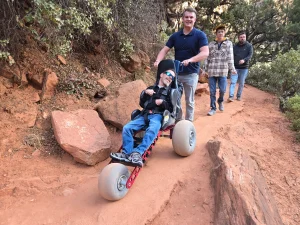
Since 2019, Sam and Ryan have been demonstrating that nature is wheelchair accessible with the Extreme Motus All Terrain Wheelchair. From National Parks to Skateparks, their adventures prove that a manual off-road wheelchair can offer laughter and joy while navigating diverse terrains.
Join us as we continue to share these inspiring journeys.
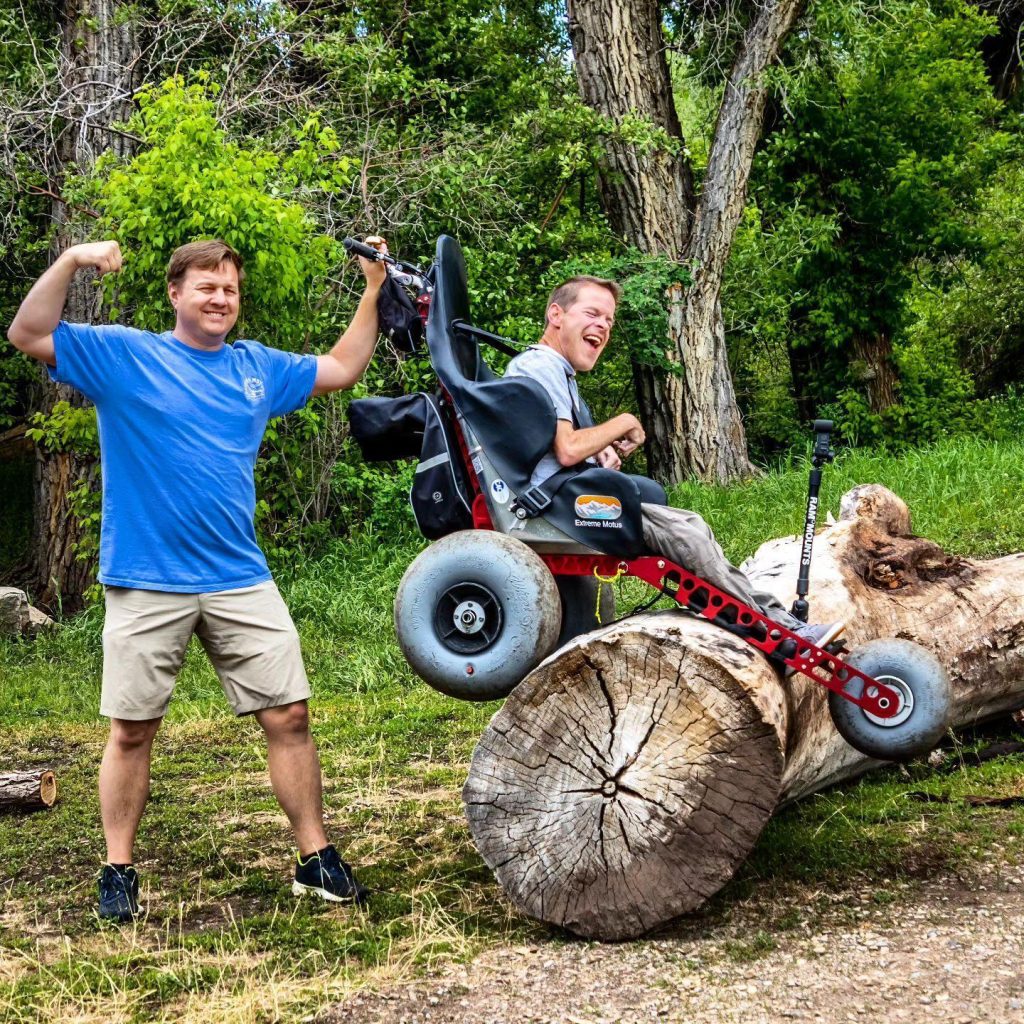
Discover Freedom with the Extreme Motus All Terrain Wheelchair
Light, comfortable, and compact, the Extreme Motus glides over sand, rocks, grass, gravel, and even floats in water.
It's more than a outdoor wheelchair; it's your ticket to freedom. Embrace the outdoors with confidence, knowing our off-road wheelchair is engineered for durability and ease of use.
Be the first to hear about new gear, upcoming adventures, and exclusive offers. As a welcome gift, you'll get a $100 coupon toward the Motus All-Terrain Wheelchair — delivered straight to your inbox.
By subscribing you agree to receive marketing communications from Extreme Motus, including product updates, promotions, and special offers. I understand I can unsubscribe at any time.